
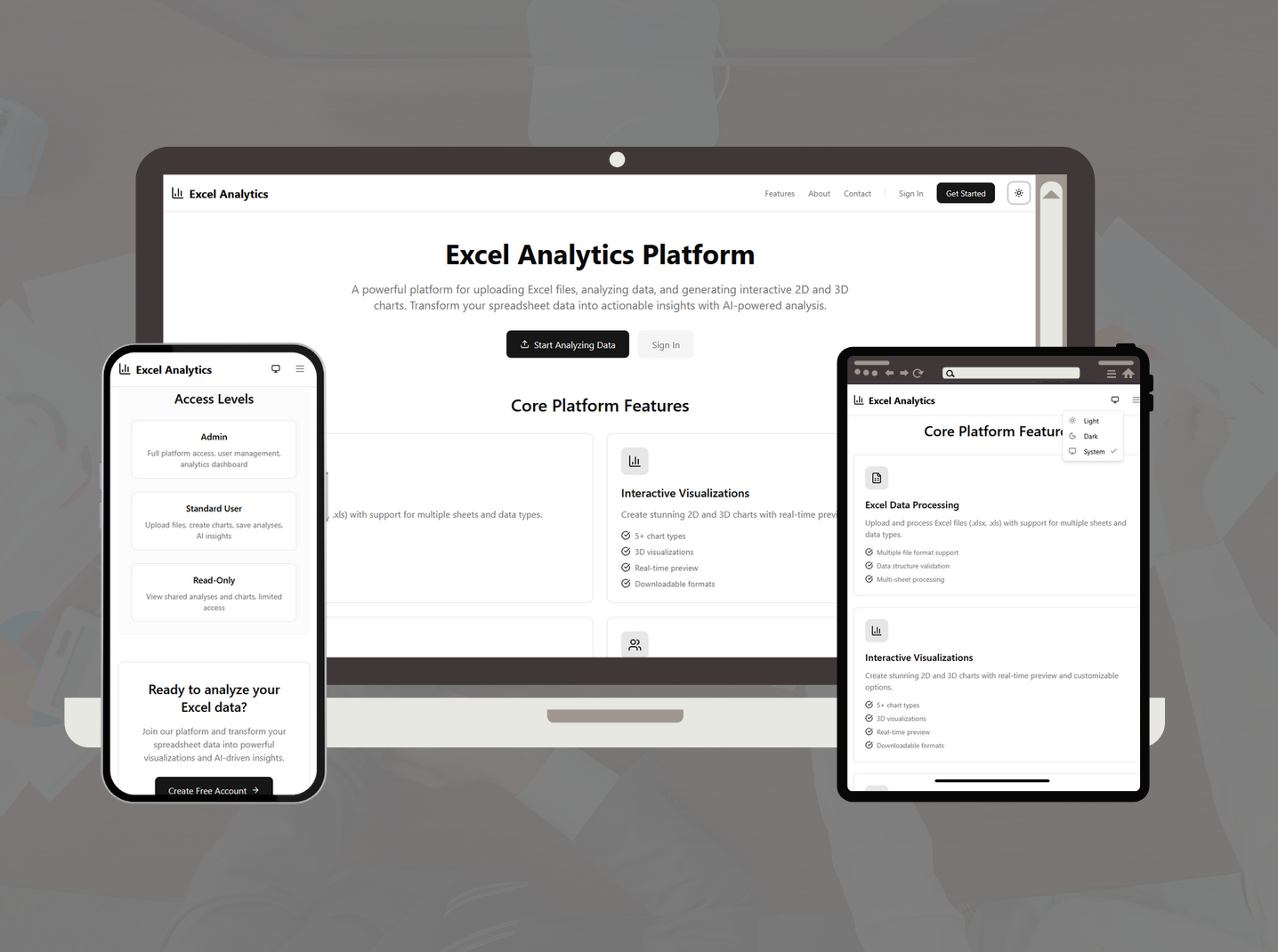
Excel Analytics
Internal analytics dashboard for exploring Excel data in 2D and 3D.
Objective
The Goal
Build a private internal tool that allows teams to upload Excel files and explore data through interactive 2D and 3D visualisations, with saved analysis and structured workflows.
Challenge
The Problem
Handling large Excel files efficiently without blocking the UI, maintaining smooth 3D rendering performance in the browser, and building a secure role-based system for internal users within a limited timeline.
Solution
How We Solved It
Developed using the MERN stack with XLSX for file parsing, Plotly.js for 2D charts, and Three.js for 3D visualisations. Implemented JWT-based authentication and structured data storage with MongoDB Atlas.
What We Built
Key Features
Excel Upload & Parsing
Upload XLS, XLSX, and CSV files with validation and efficient parsing.
2D & 3D Visualisations
Interactive charts using Plotly.js and Three.js with zoom, rotation, and export support.
Data Exploration
Flexible selection of axes and chart types for custom analysis.
Analysis History
Saved uploads and configurations for future reference.
Role-Based Access
Controlled access for internal users and admins using JWT authentication.
Theme System
Light and dark modes using CSS variables and context-based state.
In Action
Screens
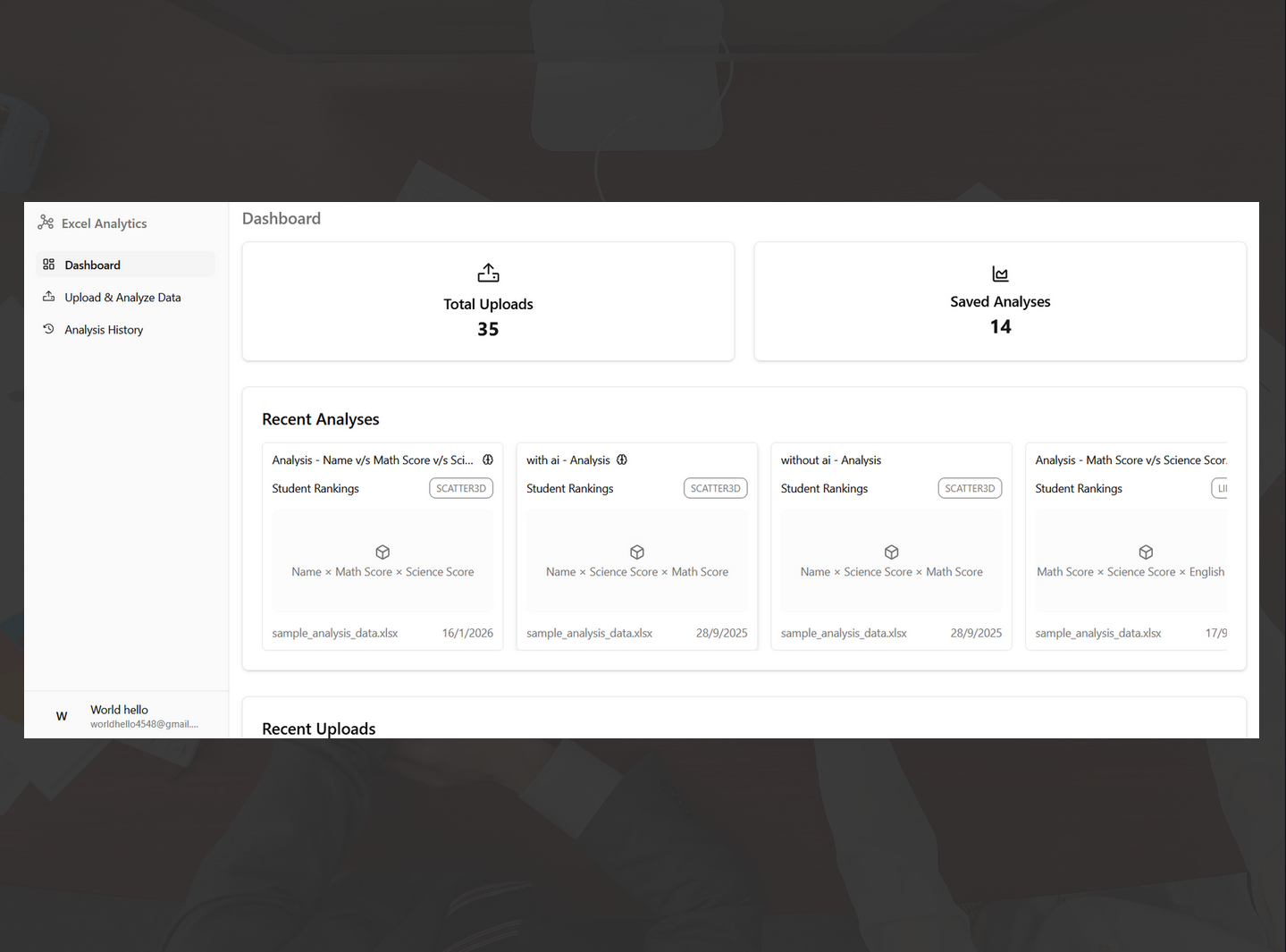
Dashboard overview with uploads and saved analysis.
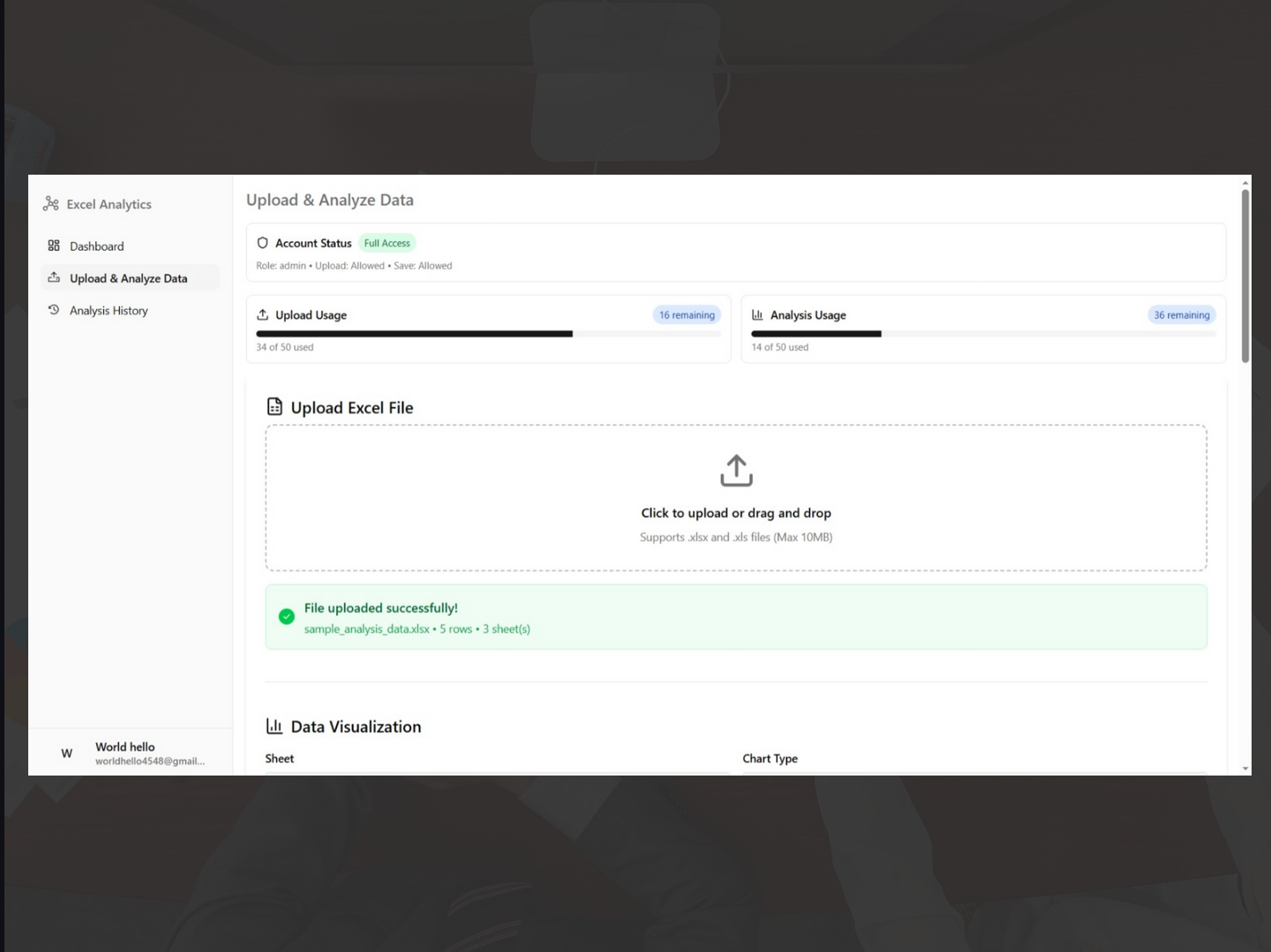
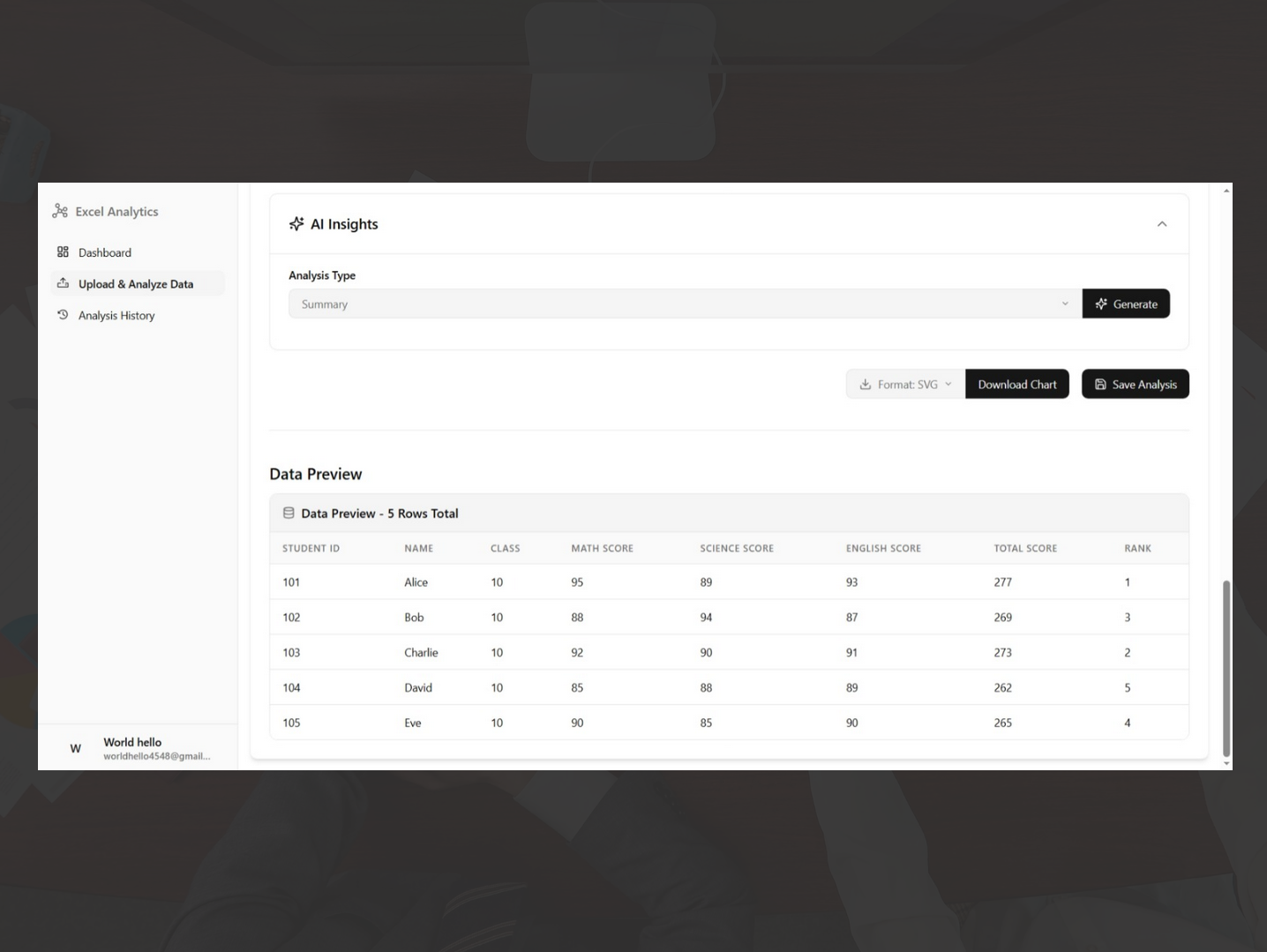
Upload interface with data preview.
3D surface plot with interactive controls.
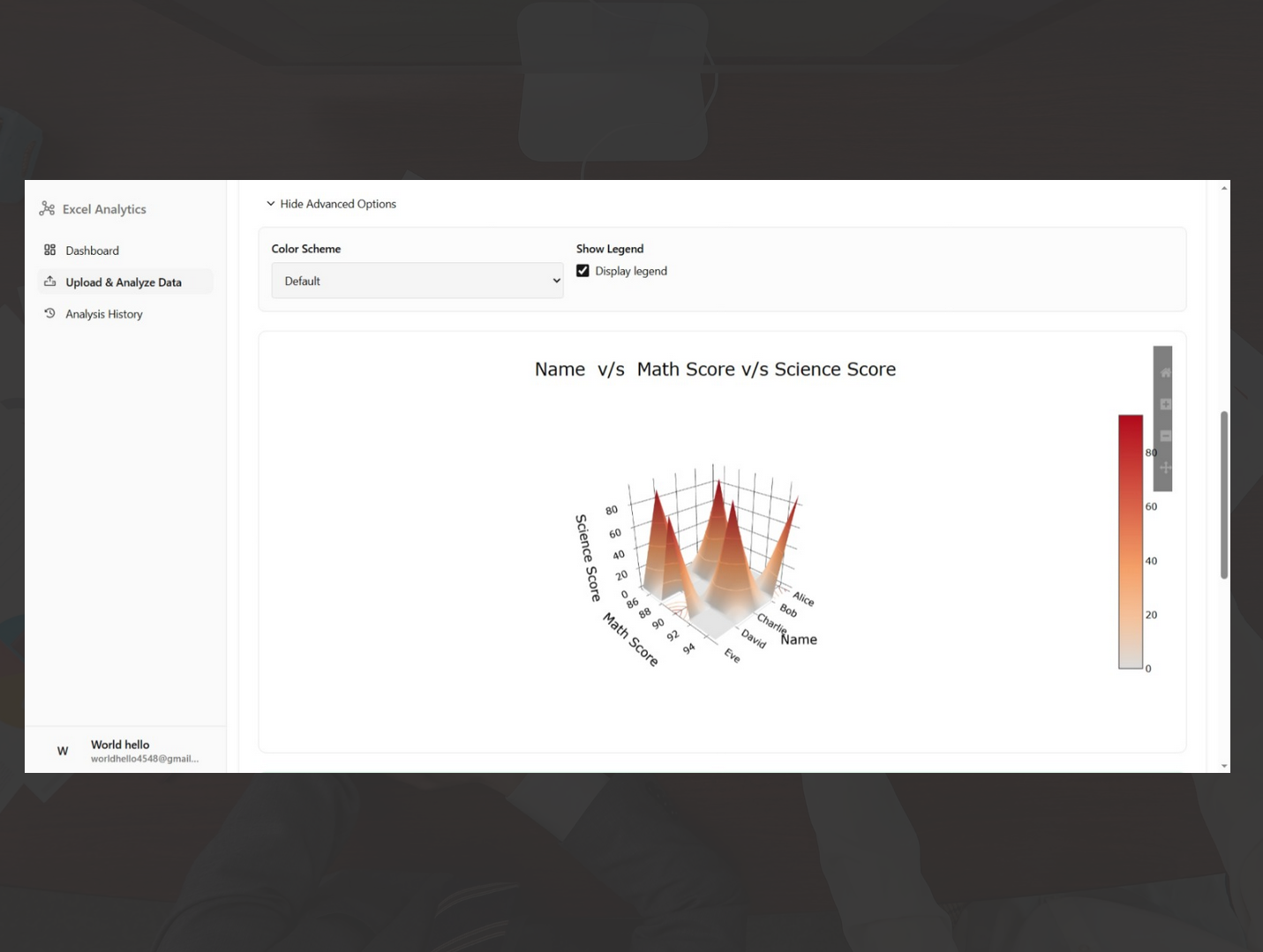
3D scatter plot for relationship analysis.
Outcome
Results
Lessons Learned
Building internal analytics tools requires balancing flexibility with usability. Optimising data parsing and maintaining smooth rendering performance are critical for a reliable user experience.
Built With